Practice Reports
Running a dental practice efficiently depends on having quick access to the right information. DentalPlus offers a range of reports designed to help you track patient activity, manage finances, and keep day-to-day operations on track.
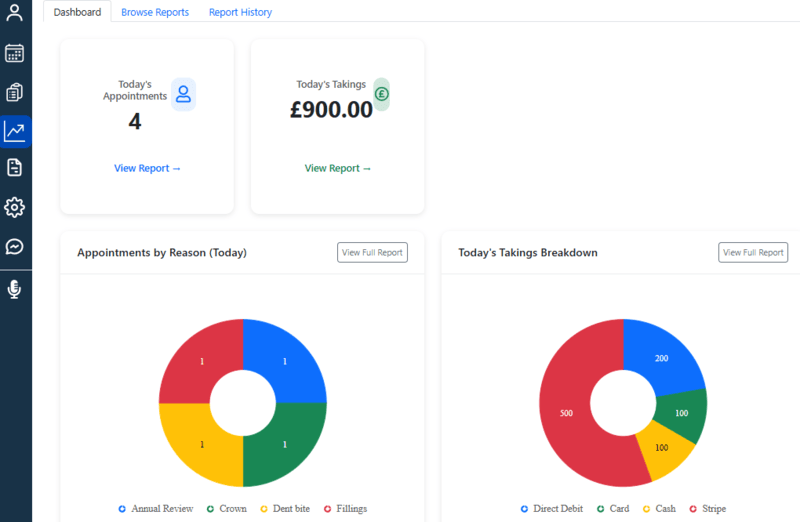
The Dashboard
The tab can be accessed through the main left menu by clicking Reports, which displays real-time graphs and figures, giving you a quick view of today’s activities, including treatments performed and takings received.
Browse reports
Under this tab, users may generate a variety of reports which provide detailed, actionable insights that help dental teams monitor performance, track progress, and make informed decisions to improve efficiency and patient care.
- Click the required report to display the available filters.
- Set the filters and generate the report.
- The results will be displayed on the screen.
- From the results, you can:
- Print the report for further use
- Select patients from the list and send bulk communications using the Create Document functionality.
To find reports more quickly, you can search by report name or use filters to narrow down the list. Add some reports to Favotites to access them with one click.
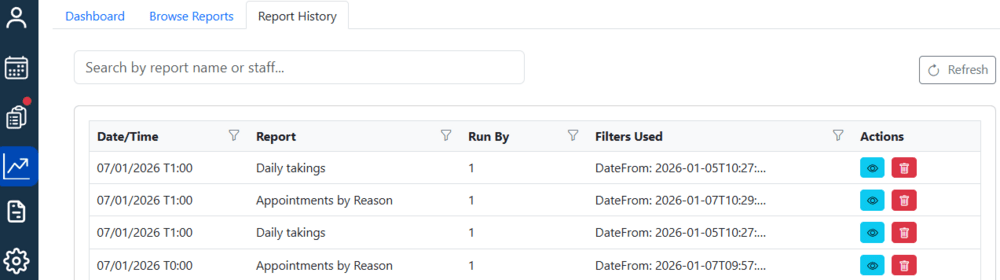
Report History
This tab contains data from previously run reports. Simply search for a report by name, click the eye-icon to view the results, or delete it if necessary.